You Asked, We Listened: Web Tracker Monitoring for Today’s Privacy Landscape



I don’t envy today’s healthcare marketers. They are asked to do the impossible: use ever-evolving and increasingly precise advertising, analytics, and personalization technology to build better patient experiences, while making sure not one piece of sensitive information is at risk in the process. Grow the practice but eliminate the risk. Know everything about patients but store nothing.
No wonder the tools that help healthcare organizations understand and reach patients are the same ones that draw scrutiny from consumers and regulators.

It’s clear to me that the privacy themes that matter in healthcare haven't actually changed since 2022. They're just more important now than ever.
- 57% of the US population lives in a state with a consumer privacy law or protections.
- 39% of the consumer complaints the California Privacy Protection Agency received between 2023 and 2025 were related to limiting the use of sensitive information.
And when I speak with healthcare marketers today, I hear these statistics in their own words:
- "I'm worried about the things I don't know."
- "I want to market responsibly, and I need help building that strategy and business case."
- "We’re constantly having to pause because of surprise changes in regulations and litigation."
So what does this all add up to? The ground under U.S. healthcare has shifted permanently, and it won’t go back to the way it once was. More than half the country now lives under digital privacy rules. The complaints reaching regulators reflect increasing consumer demand for privacy, and digital marketers feel exposed and stifled.
Privacy isn't a compliance box to check once and forget. It is now, and will forever be, a standing expectation with the people you serve. The healthcare organizations that stay ahead won't be the ones with the best marketing tactics. They'll be the ones who turn risk management into a muscle and a habit, and that's exactly what we set out to make easier.
The same, but better
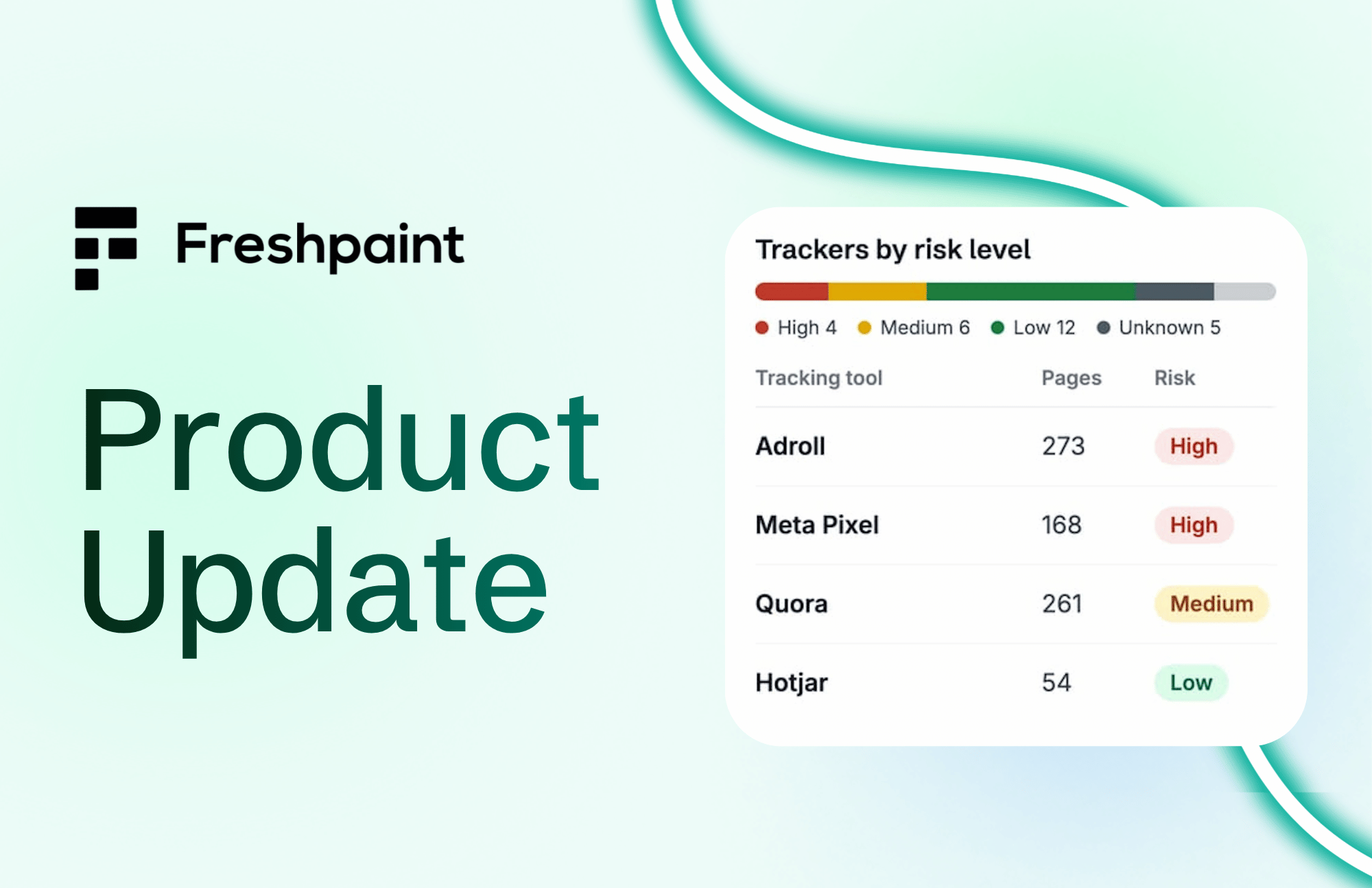
Web Tracker Monitoring (WTM) has always been central to how Freshpaint helps healthcare organizations get ahead of privacy risk. Unknown web-tracking risks are like foundation damage to your home. You can't always see it, but eventually, you feel it. You feel it when your campaigns are shut down, your legal team's favorite word becomes "no," or you receive a love letter from a plaintiff or regulator.
You can't grow your healthcare organization if you don't know which risks you're exposed to in your digital marketing strategies. It's why a web tracker monitoring scan of your websites is the first thing you do when you become a Freshpaint customer, and the first thing you see in your inbox on Monday mornings afterwards.
But things can always get better. I talk to a lot of customers, and, they are increasingly worried about risk exposure. In collaboration with our product team, we realized that finding trackers has never been the hard part. Knowing which ones mattered, and making sure the right person actually handled them, quickly, is where things can break down.
So we’ve rebuilt the experience with our customers.
Privacy is a team sport
No single team owns privacy risk from end to end, and that's not a flaw in how healthcare organizations are structured. It's a feature dressed like a bug.
Marketing usually spots the tracker first. Privacy and Legal have to judge whether it's actually a risk and whether the right agreements are in place. IT can actually see where a script came from and take it down. And oh, there’s often an outside agency and counsel involved as well.
The old way of working forced all of those people to coordinate through email, screenshots, spreadsheets, and Slack threads, tools that weren't built to carry a decision or preserve a history. The finding lived in one inbox, the context in another, the fix in a ticket somewhere, and the record nowhere in particular. And for healthcare in particular, this daisy chain is unacceptable. The loss of context and auditability puts the entire organization at risk, and with it, the patients.
The updated web tracker monitoring creates a shared space where that cross-functional work happens. One place where the finding, the priority, the decision, the owner, and the history all live together, so each team can see what the others have done and pick up their part without starting from scratch. Marketing doesn't have to become a privacy expert. Privacy doesn't have to become a marketing expert. IT doesn't have to guess why something was flagged. Everyone works from the same record, with the same context, and the same activity log to see how they got here.
And because not everyone who needs to act is a Freshpaint user, a finding doesn't have to stay inside Freshpaint to move. A login-free, read-only link carries the full context to whoever needs it, including people outside the organization, so the workflow never dead-ends at a team boundary.
With that shared foundation in place, teams:
- Spend less time chasing tracker questions and more time acting on the ones that matter.
- Proactively identify risk exposure, address risky technologies, and demonstrate risk reduction over time.
- Give the person fixing the problem enough context to actually fix it.
From detection to ongoing risk management
The shift underneath all of this is simple. Tracker monitoring isn't a scan you run and file away. It's a muscle you build as an organization. By going back to the foundation of our product, and our commitment to customers, we’ve crafted a shared space for you and your cross-functional partners in marketing, privacy, legal, IT, and agencies to manage risk together.
Ready to see the new Web Tracker Monitoring? Schedule a website review →