The Modern Data Stack Isn't Designed To Build Data Pipelines



My goal with Freshpaint has been to make it easier for people to get the customer data they need to do their jobs. A big part of that up until now has been by helping product, marketing, and data leaders get data faster by automating customer product and website events instead of waiting a month or more for engineers to add them manually to the codebase.
But the interesting thing we've uncovered along the way is how difficult it is for companies to get data from one tool to another in their tech stack. Something as simple as moving ticketing data from Salesforce to event data in Mixpanel is an arduous task.
And the only general way that exists to move data from source to destination is the Modern Data Stack, but it was never really designed to do that.
Why Is It So Hard To Build Data Pipelines?
When it comes to building the Modern Data Stack, many see the data warehouse as the single best source of truth. While we're philosophically aligned with the idea that the data warehouse is an excellent source of truth within a mature organization, we see flaws with the Modern Data Stack as the answer to building data pipelines.
Let me share.
Too Complicated & Costly For Many Companies
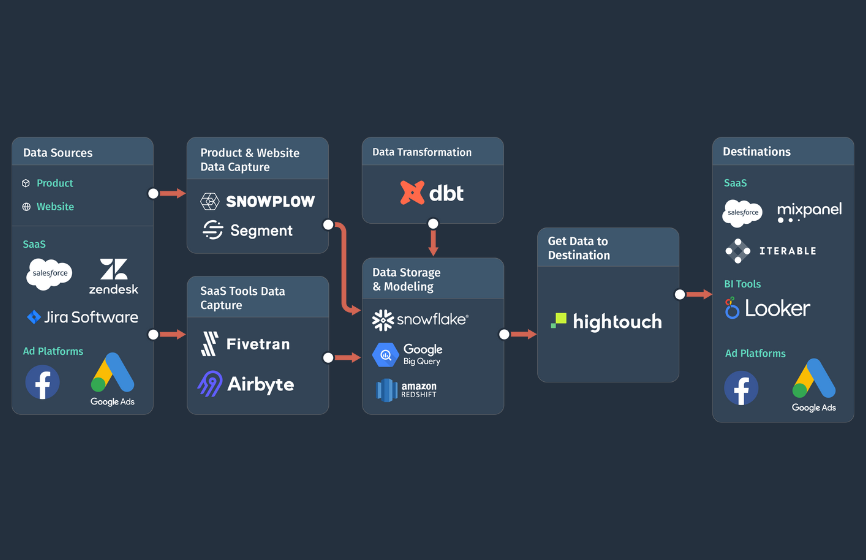
Setting up a Modern Data Stack requires a pretty hefty wish list of tools. Many companies I've talked to are only trying to address a few use cases, so the costs of deploying the Modern Data Stack are not justifiable. Let me help you visualize what goes into it:
.png)
- Data warehouse.
- A tool to load customer behavioral data from your product and site into the data warehouse.
- A tool to load data from SaaS tools into your data warehouse.
- A tool to run transformations of the data.
- A reverse-ETL tool to load data out of the data warehouse.
Data Warehouse Usage Costs Are High
The data warehouse isn't designed to support high frequency use cases. Trying to support frequent data updates means the data warehouse has to always be on, ultimately driving up your costs significantly.
Freshpaint Connects Sources To Destinations In One Platform
When our customers started coming to us with requests to help them move data from one SaaS tool to another, I really dove in to understand each use case one by one.
The common theme was that not only did our customers need a way to connect a source with a destination, but they also needed a flexible way to map the data so that the destination could make the most of it.
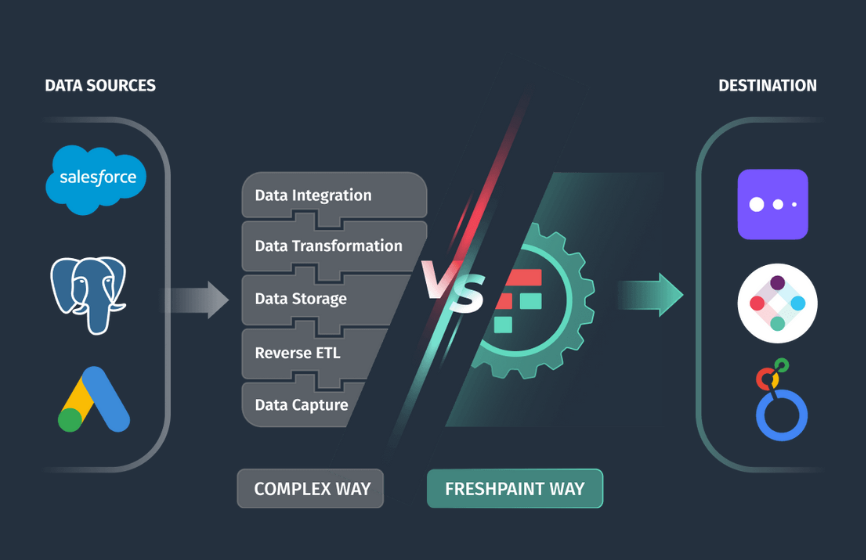
Data Mapping Flexibility
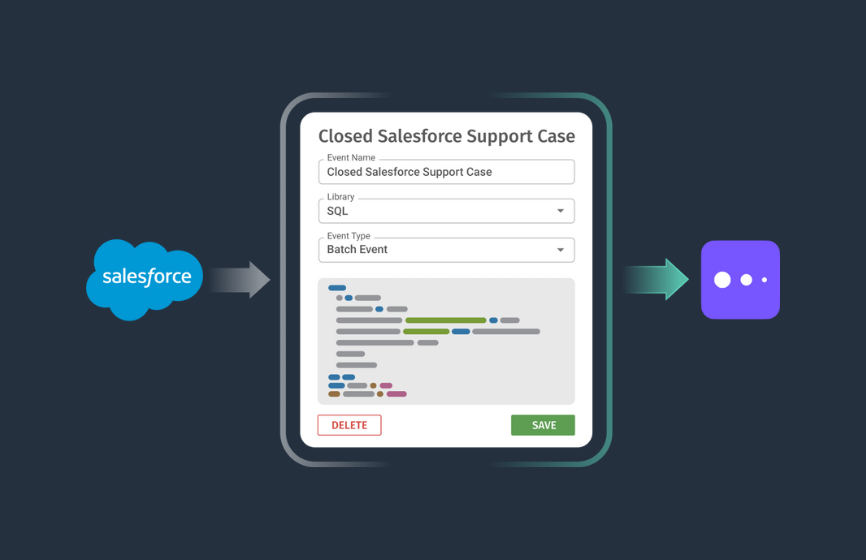
Take, for example, moving Salesforce support ticket data to event data in Mixpanel. We needed a way to map that ticket data to event data so Mixpanel could ingest it.
To solve this, we needed something that was A) powerful, B) flexible, C) didn't require engineers to live in the codebase to implement. That's when the Freshpaint SQL engine was born.
Freshpaint now moves data from any source and makes it compatible with any destination, all in one platform. You use the power and flexibility of a SQL engine to map the data so that each destination can make the most of it.
Here's what you get:
- Pull data from your existing tools (including your data warehouse).
- Automate the capture of user behavioral data from your product and website.
- A SQL engine to map the data from your source to the destination.
- More than 100 destinations to send the data in real time.
Freshpaint Doesn't Come With The Cost Of The Modern Data Stack
Since we designed Freshpaint from the ground up to be used by our customers to build data pipelines quickly, we eliminated many of the costs associated with the Modern Data Stack:
- You only need to implement one data platform instead of five or more tools.
- Freshpaint is designed to handle high frequency use cases, so you don't have to absorb data warehouse charges.
How Freshpaint Connects Any Source To Any Destination
Freshpaint now gives our customers the ability to quickly build data pipelines in one platform with the following three steps:
- Connect to your source.
- Write a SQL query to map the data from the source to the destination.
- Send your data to the destination using prebuilt integrations.
Let’s illustrate how this works using the Salesforce to Mixpanel example I mentioned earlier in this post.
Let’s say you use Salesforce as your CRM, and you want to send support ticket activity to Mixpanel. The goal is to learn more about which customers are having more trouble and to see if the work you’re putting into the help center is paying off. 🤔
Use Salesforce as a Source in Freshpaint
The first step is to connect Freshpaint with your account in Salesforce by navigating to Sources, clicking Setup, and clicking the Configure button next to the Salesforce source option to access the Salesforce: Configuration Settings.
You'll do a one time authorization to import data from Salesforce into Freshpaint by clicking the Configure button in the Configuration section pictured below.
.png)
You'll need to turn on syncs for the Salesforce Cases table.
.png)
Finally, you'll need to set the frequency to 15 minutes and begin syncing your Salesforce data.
.png)
Map Salesforce Ticket Data to Mixpanel Event Data
Freshpaint gives you the full power of SQL to turn Salesforce ticket data into event data that Mixpanel can make the most of.
Navigate to Events and click on the SQL Editor. In the SQL Editor build a query to pull in your data just like below.
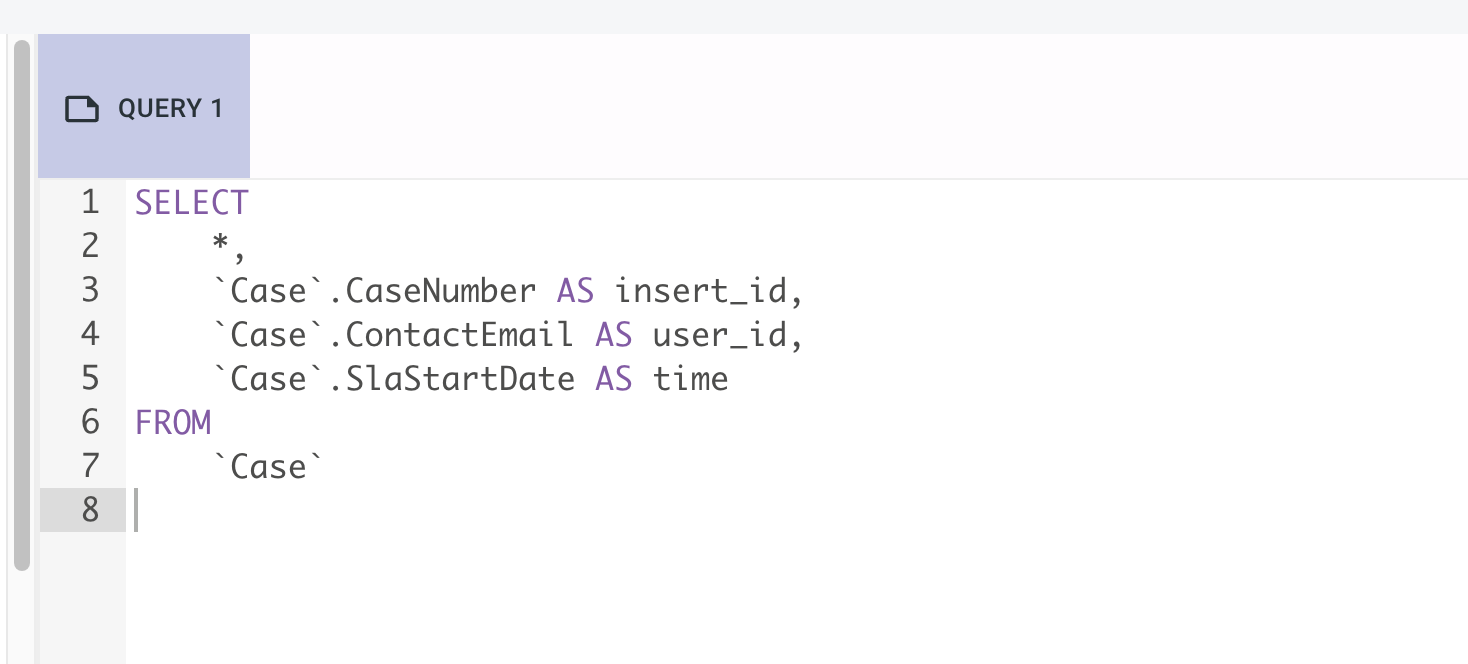
Run the query and save it as a new event by clicking Create New Event.
Send Your New Event Data to Mixpanel
The final step in the process is to send this new event data to Mixpanel. You can access your event by navigating to Events, clicking on Library, and searching for your event.
Now simply click on the toggle to start sending this data to Mixpanel.
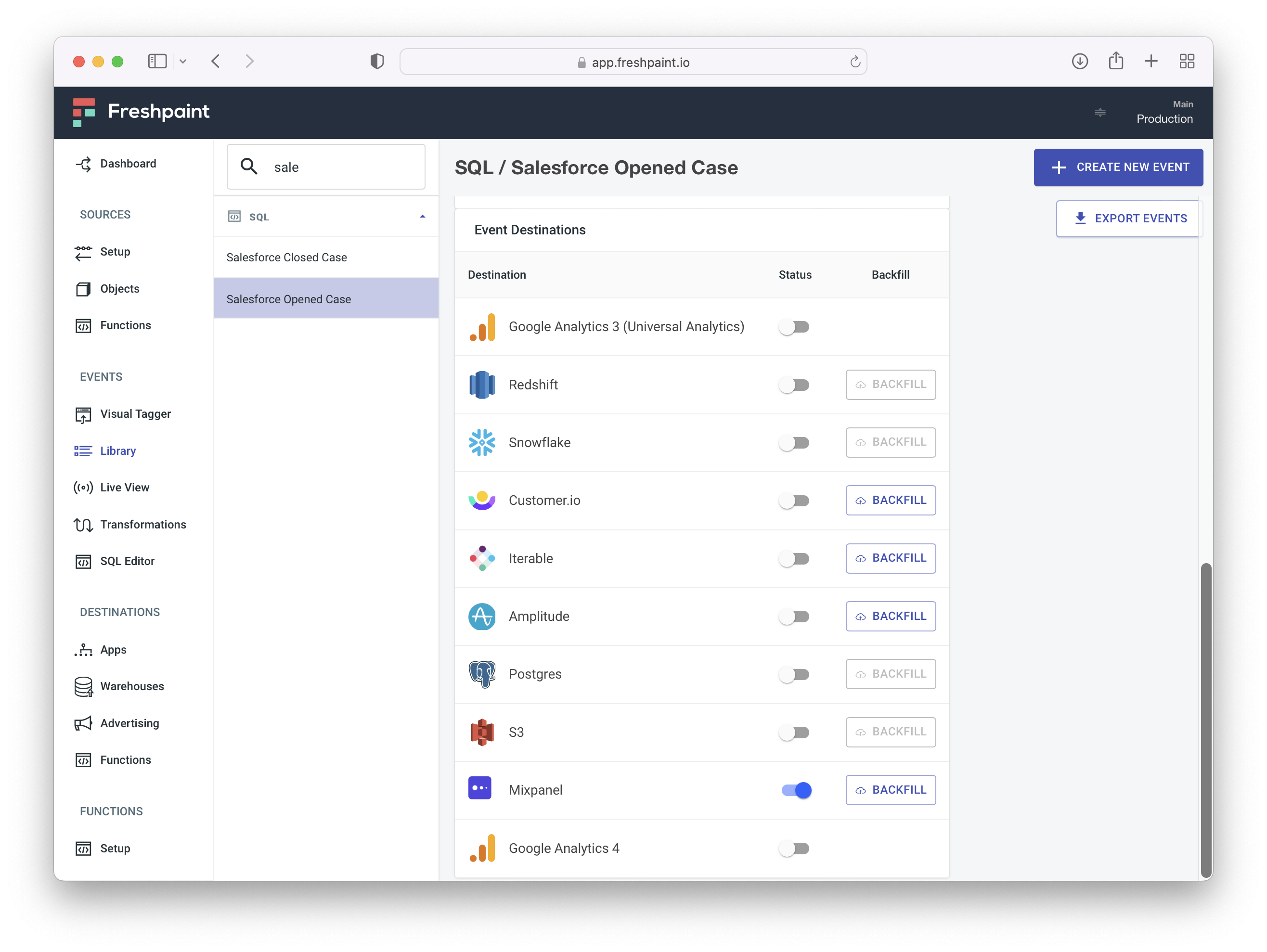
Now, Freshpaint will take your Salesforce ticket data, map it, then send it to Mixpanel going forward.
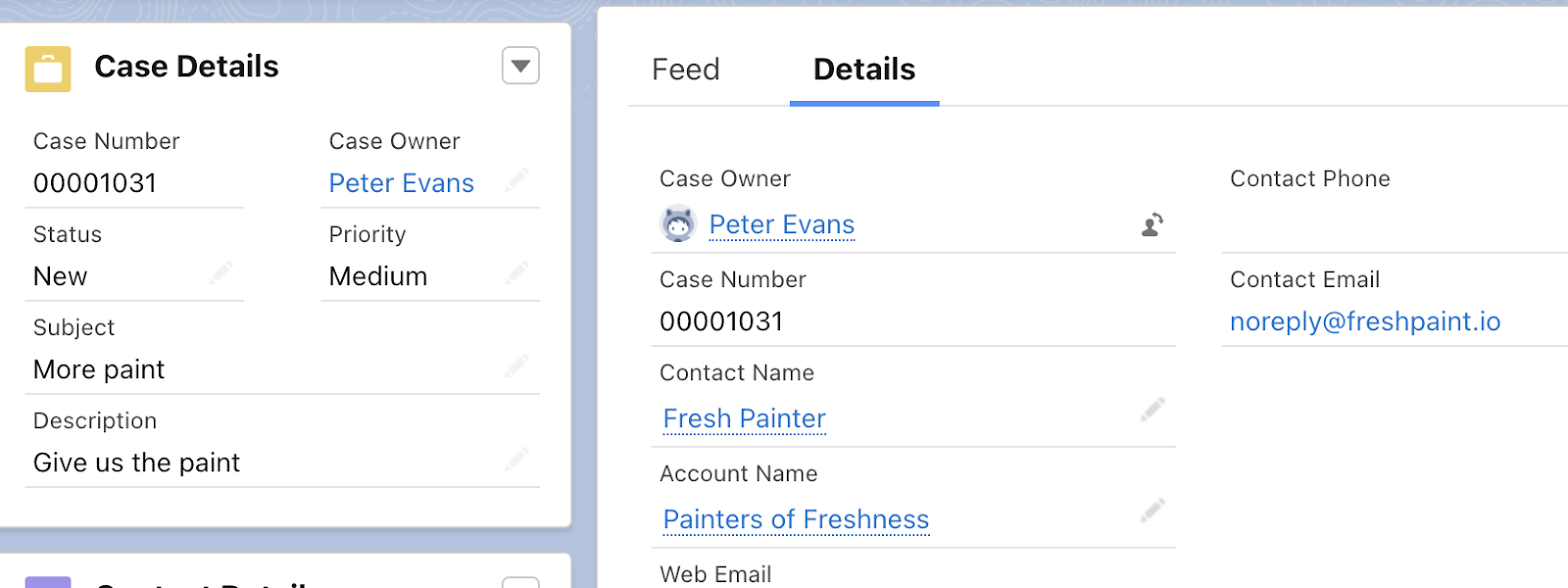
What looked like this in Salesforce:
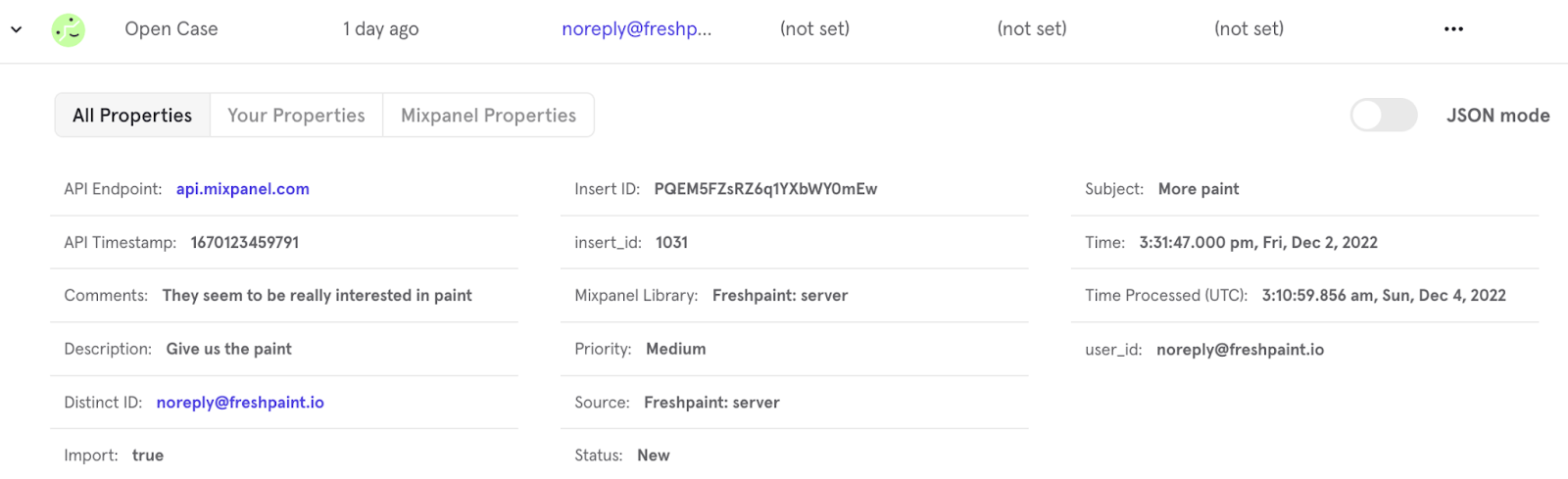
Becomes this in Mixpanel:
A Better Way to Build Data Pipelines
By reducing the complexity, cost, and time to implement, Freshpaint offers companies of all sizes a way to move customer data between the tools they rely on to grow their businesses. I see our latest Freshpaint product as a critical step towards helping companies do more with their customer data without all the costs and engineering time. If you have a use case in mind or want to learn more about how we can help I'd love to talk. Just reach out to my team to set up a demo and I'll be sure to join.











.png)