See Every Tracker on Your Site. Identify Risk and Take Action.


What Full Visibility Into Trackers on Your Site Looks Like
Continuously monitor your site for new trackers and changes, with higher-risk findings prioritized so your team knows where to focus.
- See every page where a tracker is installed
- Understand its risk level and why it was flagged
- Focus first on new and higher-risk findings
Review trackers and record decisions directly in Freshpaint, so your team doesn’t have to keep investigating the same findings.
- Mark trackers as safe, in progress, or resolved
- Upload and keep track of BAAs
- Keep reviewed trackers from creating repeat work
See recommended next steps for risky trackers, then get the finding to whoever needs to investigate or fix it.
- See common fixes and who typically owns them
- Share a login-free, read-only link with the full context
- Remove risky trackers, replace them with a safer alternative, or document why they’re approved to remain
Get more context on unfamiliar trackers so your team can understand how they got onto the site and where to start investigating.
- See where the tracker is installed
- Understand how it was loaded onto the page
- Identify who may need to be involved in investigating it
Keep tracker history, activity, and decisions in one place, with reporting that shows how tracker activity changes over time.
- See what your team found, decided, and did
- Review tracker and page history over time
- Export reports and demonstrate progress to privacy, legal, and leadership
Everything You Need to Monitor, Manage, and Secure Your Tracking Infrastructure








.svg)
Built for Your Type of Organization
Large health systems run complex websites with dozens of departments, hundreds of landing pages, and countless third-party tools. Web Tracker Monitoring provides a single view into tracker activity so compliance teams can manage risk while marketing teams maintain performance.
Key Applications:
- Gain complete oversight of tracker activity across all sites and portals
- Provide legal and compliance teams with audit logs for regulatory reviews
- Replace risky trackers on MyChart and other patient portal environments

PE-backed urgent care groups, outpatient centers, and specialty providers face unique pressure: grow aggressively while maintaining compliance for exit valuations. Web Tracker Monitoring supports ongoing visibility and documentation so teams are prepared for diligence at any stage.
Key Applications:
- Monitor trackers across 50-200+ locations from one central dashboard
- Catch new or unauthorized trackers before they create compliance liabilities that impact valuation
- Maintain accurate documentation for PE and acquirer reviews

Dental organizations operating across dozens or hundreds of practice websites often have different trackers installed at the location level. Web Tracker Monitoring helps DSOs see exactly which trackers are running on each site and take action without disrupting marketing activity.
Key Applications:
- Compare tracker activity across all practice locations
- Identify which locations have unauthorized or risky trackers
- Replace Meta pixels, Google tags, and other trackers with a compliant alternative

National and regional payers manage tracking across enrollment experiences, plan pages, and member portals year-round, with increased activity during enrollment periods. Web Tracker Monitoring helps you see which trackers are installed, so you can maintain compliance across campaigns while scaling efficiently.
Key Applications:
- Maintain visibility across all enrollment sites, plan pages, and broker portals
- Ensure Medicare Advantage, D-SNP, and MedSup campaigns stay compliant with HIPAA and CMS rules
- Provide CMS and compliance teams with audit documentation

Pharmaceutical companies, medical device manufacturers, and virtual care platforms running DTC campaigns face heightened scrutiny from regulators and class-action lawyers. Web Tracker Monitoring helps you monitor trackers on condition-specific pages, educational content, and patient portals, so you can run targeted campaigns without creating sensitive information exposure.
Key Applications:
- Identify and monitor trackers firing on condition-specific content (diabetes, mental health, hearing loss, CGM trials)
- Reduce legal exposure by identifying risky third-party tools early
- Provide legal teams with audit trails for lawsuit defense and regulatory inquiries

Build on Your Privacy Foundation

Common Questions About Web Tracker Monitoring
Freshpaint scans your website weekly to identify third-party scripts, pixels, and tags. It shows what’s running, where it was found, its risk level, and what’s changed, so your team can focus on findings that need attention. You can start with a free Web Tracker Monitoring Report custom to your site.
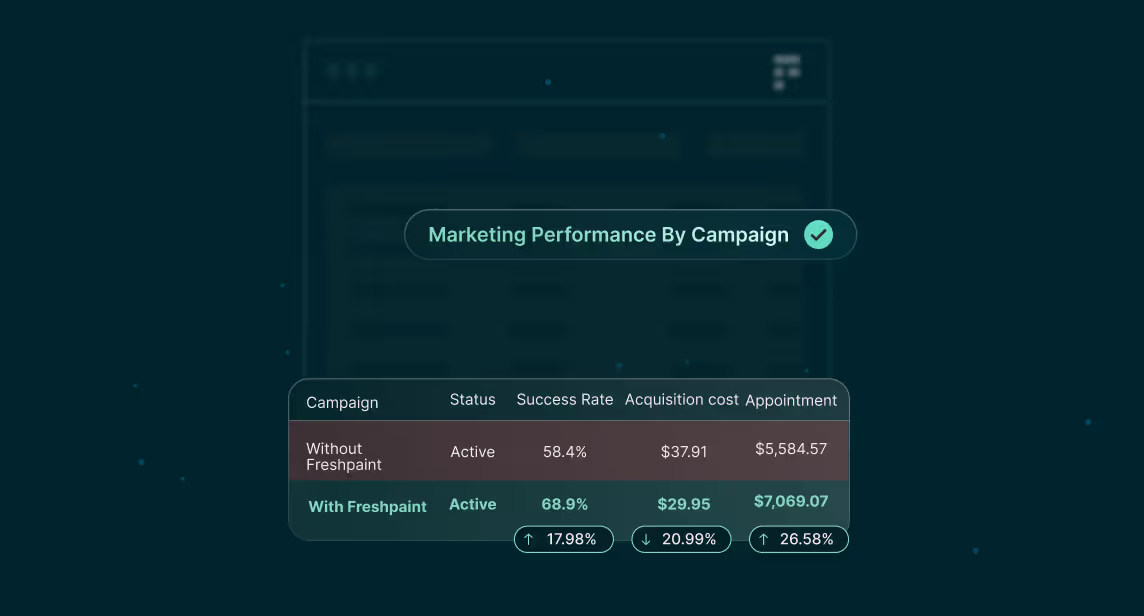
No. Freshpaint replaces risky third-party trackers with one HIPAA-ready Freshpaint pixel. Your marketing tools still receive the data they need to optimize campaigns, just without sensitive data. You maintain full marketing functionality while respecting privacy.
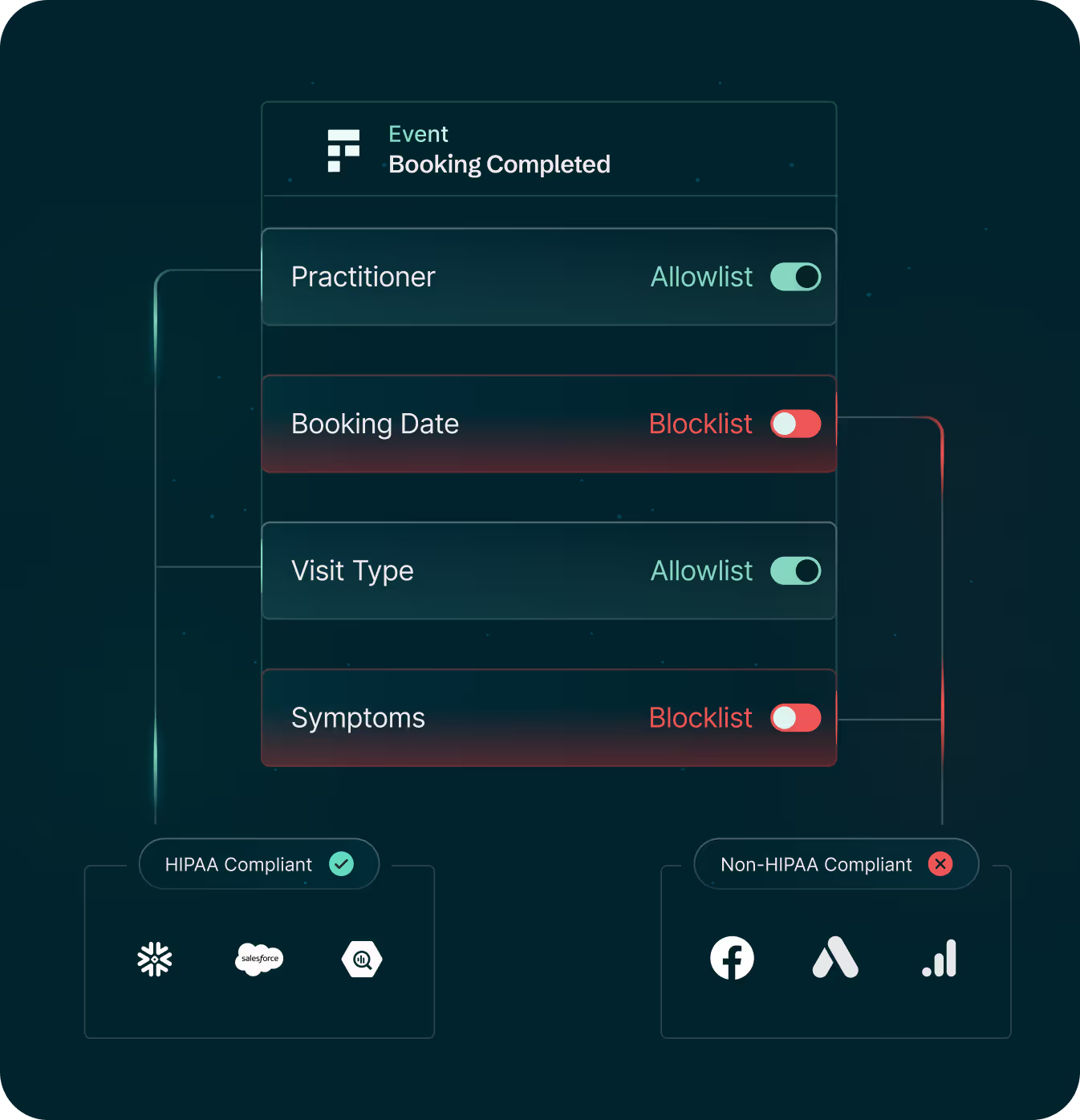
Allowlists let you control exactly which data reaches which platforms. Legal and compliance teams approve data sharing through a visual interface without writing code. You can set different rules for each destination (e.g., send email to ad platforms but block it from analytics platforms). Sensitive data is automatically stripped based on your allowlist configuration.
Setup takes minutes, not weeks. Freshpaint provides one tag that replaces all your risky trackers. For Google Tag Manager users, automated migration helps move your existing tags into Freshpaint's template (no manual rebuilding required). Most customers complete setup without involving IT.
Web Tracker Monitoring continuously monitors your website on a weekly basis. If someone adds a new tracker (like an agency installing a new analytics tool), Freshpaint alerts you in our weekly report and in-app. You get ongoing visibility, not just a one-time audit.
Web Tracker Monitoring alerts you when new trackers appear. You can see when it was added and whether it creates compliance risk. Then you can remove it, replace it with Freshpaint’s compliant pixel, and configure allowlist rules—all from the Freshpaint dashboard.
Yes. Freshpaint provides complete audit logs showing tracker management progress, data flows, and allowlist configurations. Compliance teams can access reports for regulatory reviews, legal inquiries, or M&A diligence.
.svg)